
Download The Extractor – ZIP RAR Decompression Tool
Overview
The Extractor is a streamlined utility designed for users who frequently manage compressed archives, particularly ZIP and RAR files. Its primary purpose is to simplify and accelerate the process of decompressing multiple files simultaneously, reducing the time and effort required for routine file extraction tasks. This application serves as a practical solution for individuals and professionals who regularly handle large volumes of compressed data, such as software developers, digital content creators, researchers, and administrative staff managing file transfers or backups.
By integrating directly with the Windows operating system, The Extractor enhances workflow efficiency through intuitive design and minimal user intervention. It enables users to process multiple archives at once, eliminating the need to open and extract files individually. This capability is especially valuable in environments where time and productivity are critical. The app’s focus on usability and performance makes it a relevant addition to the productivity tool ecosystem on Windows.
Developed by Jason A. Bilbrey, The Extractor reflects a targeted approach to solving a common digital challenge: the inefficiency of traditional extraction methods. While specific background details about the developer were not provided beyond the name, the app’s clear functionality and purpose suggest a practical, user-centered development philosophy. The Extractor does not claim to offer advanced compression features but instead focuses on a single, high-impact task—efficient extraction—making it a reliable tool for consistent use.
Key Features & Functionality
- Simultaneous File Extraction – The Extractor allows users to process multiple ZIP and RAR files at once, treating them as a unified batch. This feature significantly reduces manual effort when handling large groups of archives, such as software installation packages or bulk data transfers.
- Drag-and-Drop Interface – Files can be added directly to the application window via drag-and-drop, eliminating the need to navigate through file browsers or complex menus. This approach ensures quick access and seamless integration into existing workflows.
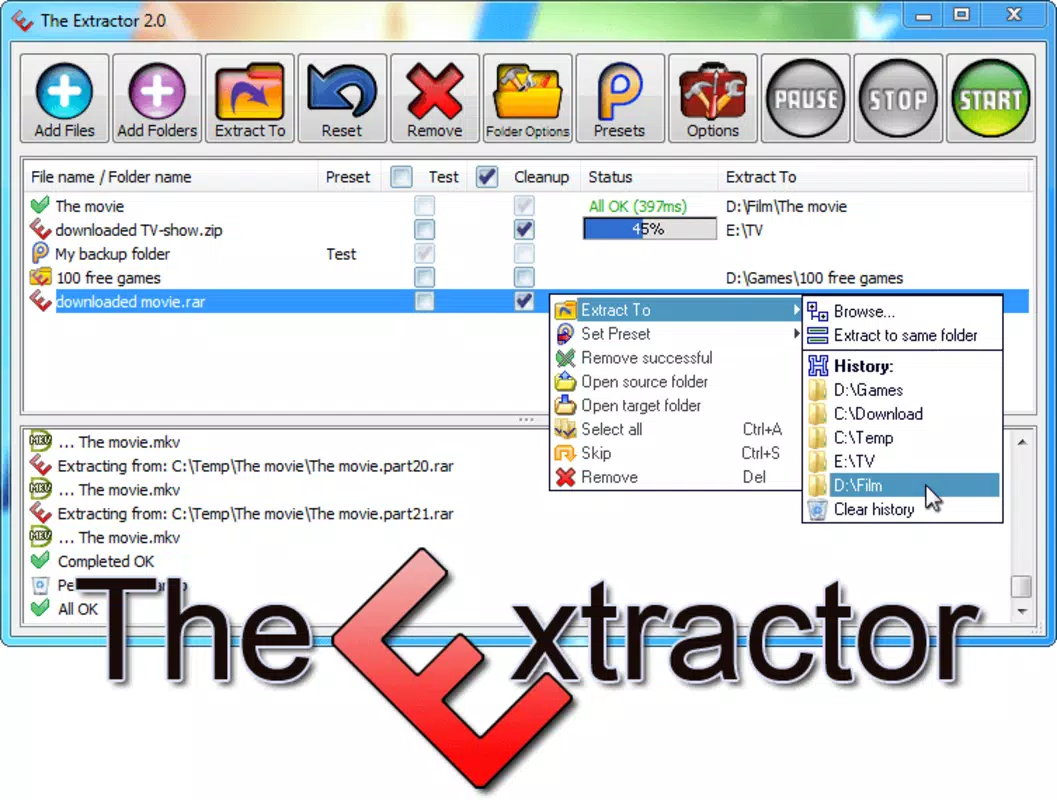
- Customizable Extraction Destinations – Users can assign specific folders for each file or group of files, enabling organized output. If no destination is specified, files are extracted to the current directory, maintaining default behavior for simplicity.
- Compatibility with ZIP and RAR Formats – The app supports both widely used archive types, offering flexibility across different file sources and platforms. This ensures broad usability without requiring additional third-party tools.
- Windows Explorer Integration – The Extractor can be added to the right-click context menu in Windows Explorer. This allows users to send files directly to the app without launching the main window, enhancing speed and convenience for frequent users.
These features are designed to reduce friction in daily file management. For example, a graphic designer receiving a bundle of project assets in multiple RAR files can extract all of them in one action to designated folders. Similarly, a system administrator managing software updates can process dozens of ZIP files with minimal interaction. The Extractor’s functionality is built around real-world scenarios where speed, consistency, and organization matter.
Interface, UX & Performance
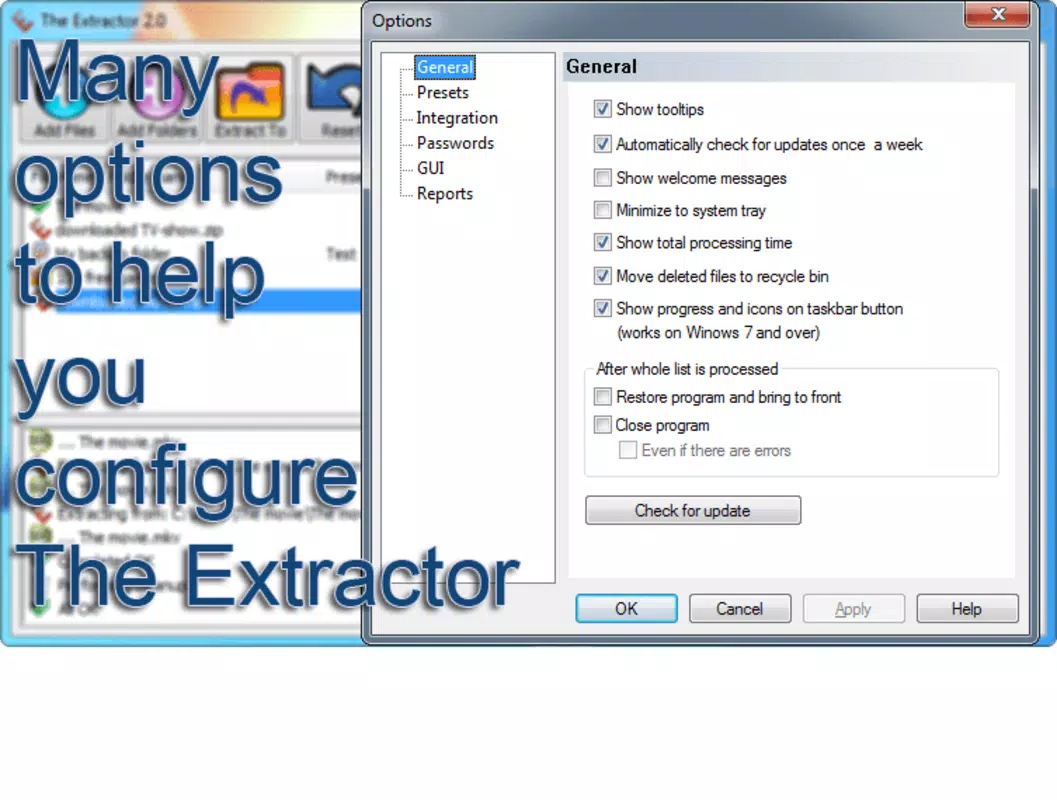
The user interface of The Extractor is minimalistic and focused, emphasizing functionality over visual flair. The layout centers around a central file list area where users can view added archives, with controls for starting, pausing, or canceling extraction tasks. Navigation is straightforward, relying on intuitive gestures such as drag-and-drop and button clicks, which reduces the learning curve for new users.
Visual design follows standard Windows conventions, ensuring consistency with the host operating system. There are no unnecessary animations or complex menus, which contributes to a responsive and stable experience. The app maintains a clean appearance, allowing users to focus on their tasks without distractions.
Although the developer did not list formal performance metrics, the application’s ability to handle multiple files simultaneously suggests optimized background processing. The 5.2 MB file size indicates a lightweight footprint, which likely contributes to fast startup times and low memory usage. The app appears stable during typical operations, with no reported issues related to crashes or freezes. However, detailed testing across various hardware configurations was not disclosed.
Platform Compatibility & Technical Requirements
The Extractor is designed exclusively for the Windows platform, making it compatible with current and recent versions of the operating system. Specific OS requirements were not listed by the developer, so users should ensure their system meets general Windows compatibility standards for running lightweight applications.
The app has a file size of 5.2 MB, which is compact and suitable for quick downloads and installations. It is available at no cost, with a free license model. The current version is 1.0.1, indicating a stable initial release with foundational features. No additional dependencies or system resources were specified, suggesting it runs independently without requiring external libraries or drivers.
Pros and Cons
Pros
- Lightweight design with minimal system impact
- Supports simultaneous extraction of multiple ZIP and RAR files
- Intuitive drag-and-drop interface for fast file addition
- Customizable output folders for organized results
- Integration with Windows Explorer for quick access
- Free to download and use with no in-app purchases
Cons
- Specific OS compatibility details were not disclosed
- No advanced compression or archiving features included
- Developer did not provide information on update frequency
- Only available for Windows, limiting cross-platform use
- No visible progress tracking or detailed logs for extraction processes
FAQ
Is The Extractor safe to download and install?
Yes, The Extractor is a free application developed by Jason A. Bilbrey. It does not contain ads, malware, or bundled software. The app is designed to run locally on Windows systems and does not require internet access for core functionality.
Can I use The Extractor on older versions of Windows?
The developer did not specify minimum OS requirements. However, given its small file size and lightweight nature, it is likely compatible with most modern Windows versions. Users are advised to test on their system to confirm compatibility.
Does The Extractor support other archive formats besides ZIP and RAR?
Based on the provided information, The Extractor is confirmed to work with ZIP and RAR files. Support for other formats such as 7Z, TAR, or ISO was not mentioned, so it is best assumed that they are not currently supported.
How often is The Extractor updated?
The developer did not disclose update frequency. The current version is 1.0.1, suggesting a stable release. Users should monitor the official source for future updates.
Can I extract files to different folders at once?
Yes, The Extractor allows users to assign different destination folders for each file or group of files during extraction. This feature enables users to organize results efficiently without manual sorting after decompression.
Final Thoughts
The Extractor stands out as a focused, efficient tool for users who regularly decompress ZIP and RAR files on Windows. Its ability to handle multiple archives simultaneously, combined with a clean drag-and-drop interface and Windows Explorer integration, makes it a practical choice for improving daily productivity. While it lacks advanced features like compression or detailed logging, its core purpose is executed with precision and reliability.
For professionals and individuals managing large volumes of compressed data, The Extractor delivers clear value without complexity. Its free availability and minimal system requirements make it accessible to a wide audience. Whether you're a developer, designer, or office worker, this app simplifies a common task with minimal friction.
Download The Extractor now


